WAHITIMU KIDATO CHA NNE 2020: Namana ya kujaza SELFORM system Tamisemi.

1. HOW TO ENTER TO THE SELFORM SYSTEM TAMISEMI
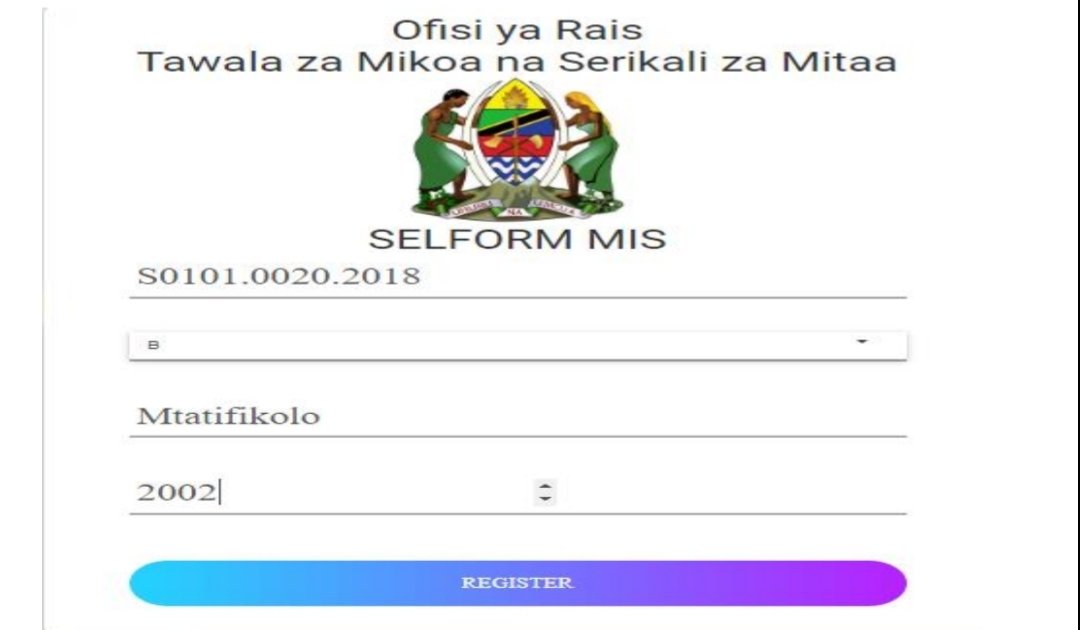
While on the internet, open your browser (browser, chrome), type The following address selform.tamisemi.go.tz to find a window to fill in your registration information as shown below. Click the lowest written Menu For Candidates, Click here to Register as a user for the first time.

Then, fill in the relevant Index Number information in Example format S0101.0020.2018, Answer the question asked, Clan name and Year of birth as shown below.
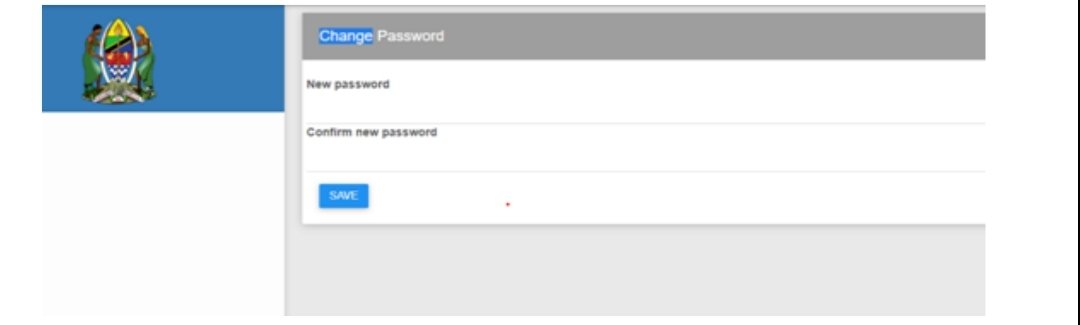
Then the window will open and you want to fill in the Password you will use all day. Window the following will open;
If you type Password, the system will appear in this chapter to indicate you have successfully changed Password;
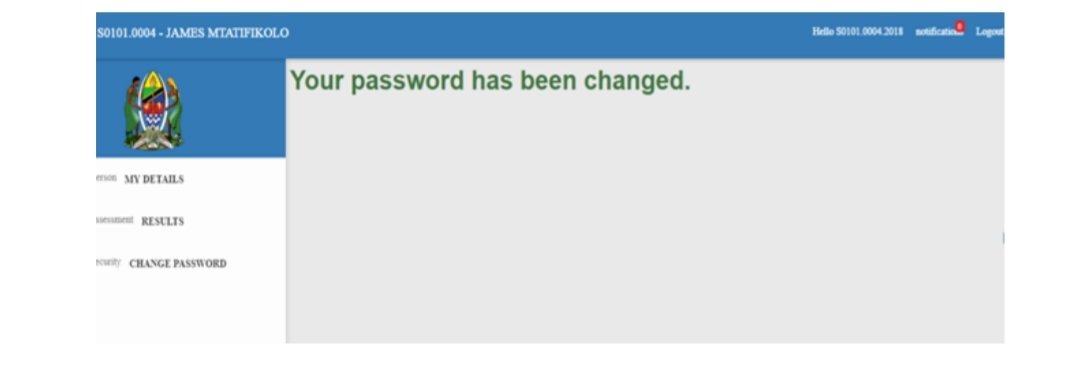
If you change your Password, you will use it to log in again eg S0101.0002.2018 with the Password you changed.
2. PART A: PERSONAL INFORMATION FOR THE STUDENT
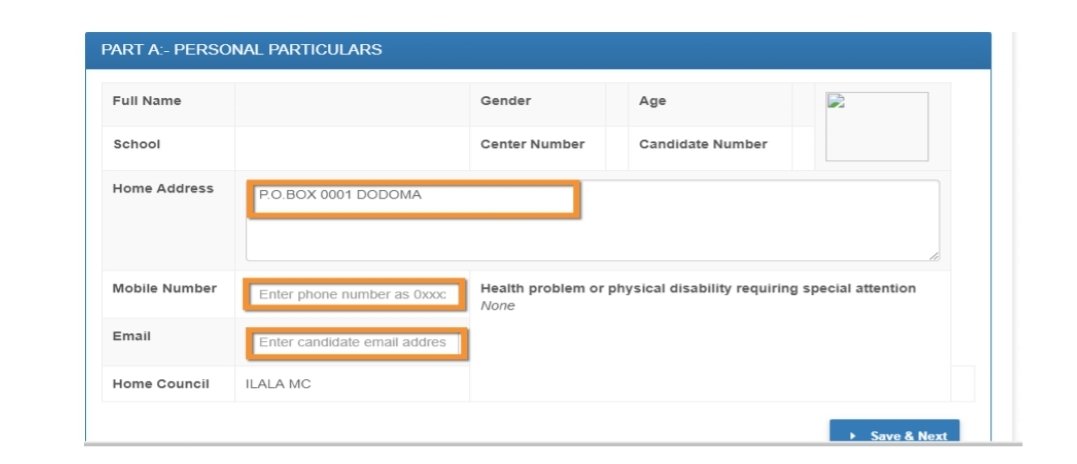
Once logged into the system, the next window will open and only the parts are closed you will be able to change personal information. When you’re done click click Save and Next below to continue front.
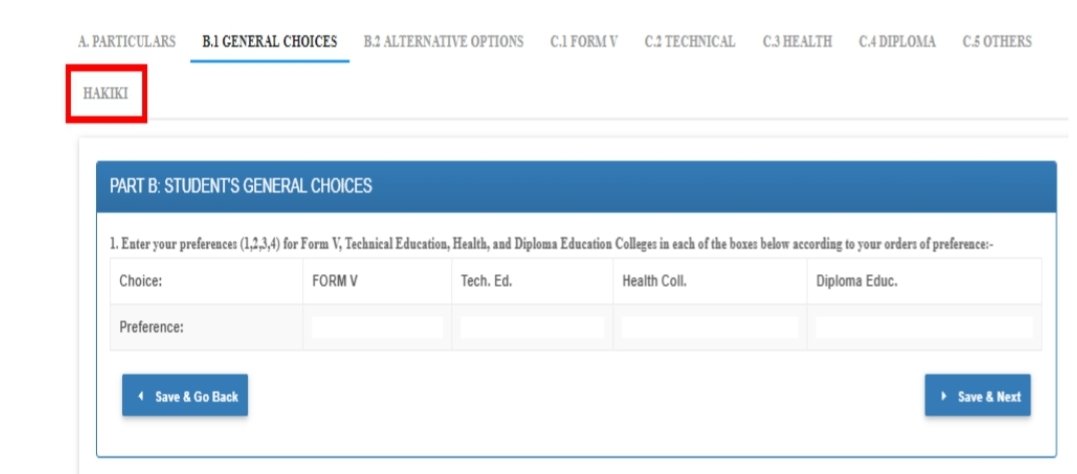
3. PART B1: STUDENT GENERAL CHOICES
Click in this section to continue changing your selection information.
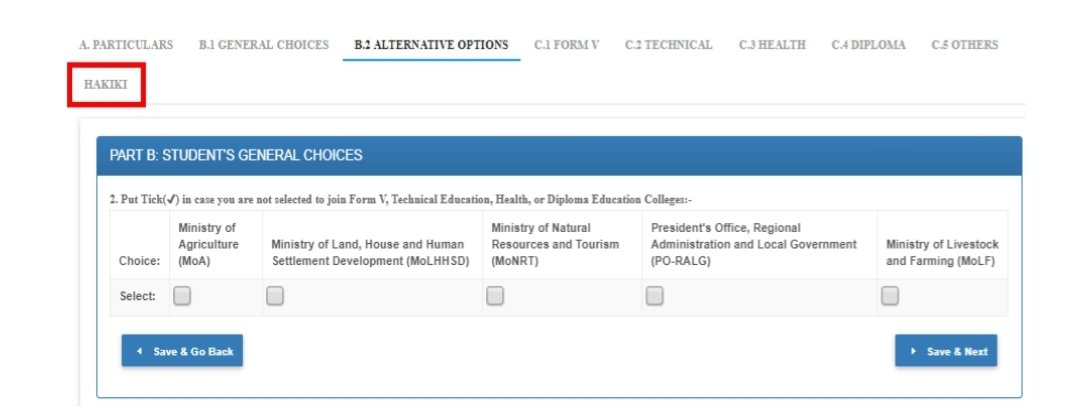
4. PART B2: ALTERNATIVE OPTIONS
Click to enter this area to continue changing your college choice information Sector. When you are done click SAVE & NEXT.
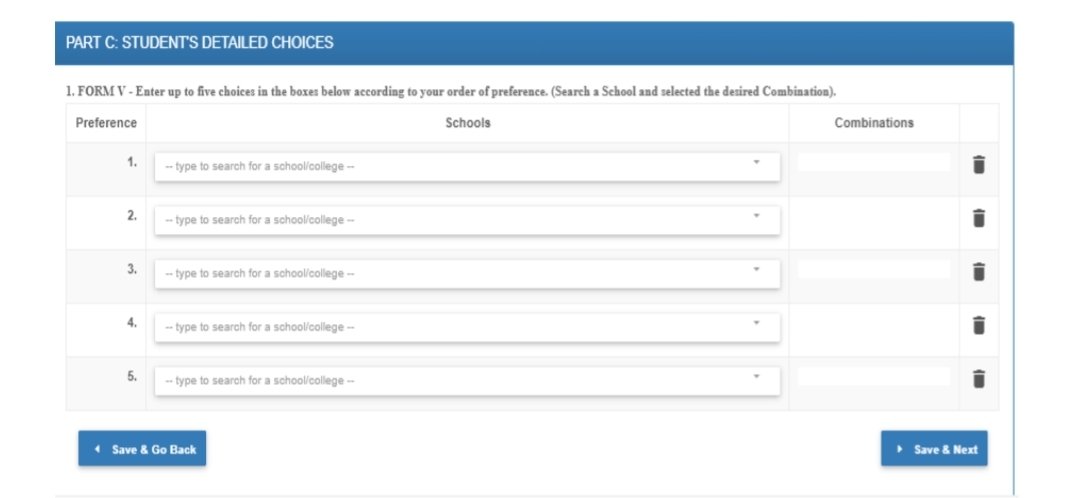
5. PART C1: FORM V STUDENT DETAILED CHOICES
Click to enter this area to continue changing your form school choice information V and its specifics:
NOTE – The student will only see Possible combinations with the school due to the success of its results with a view to change. When you finish click SAVE & NEXT or Save & Go Back.
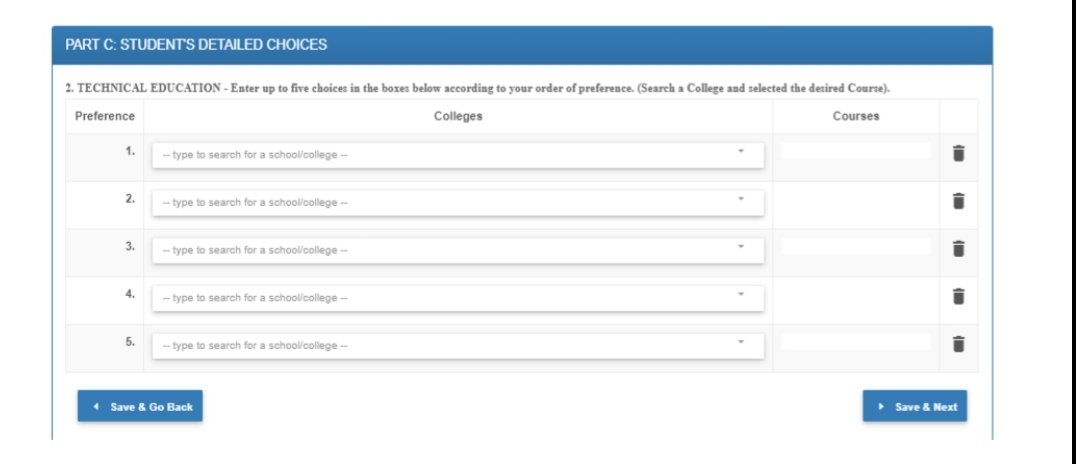
6. PART C2: TECHNICAL EDUCATION
Click to enter this area to continue changing your College choice information Technical and its Specifications: NOTE – The learner must have a working degree of PCM in its implications for changing this area. When you finish click SAVE & NEXT or Save & Go Back.
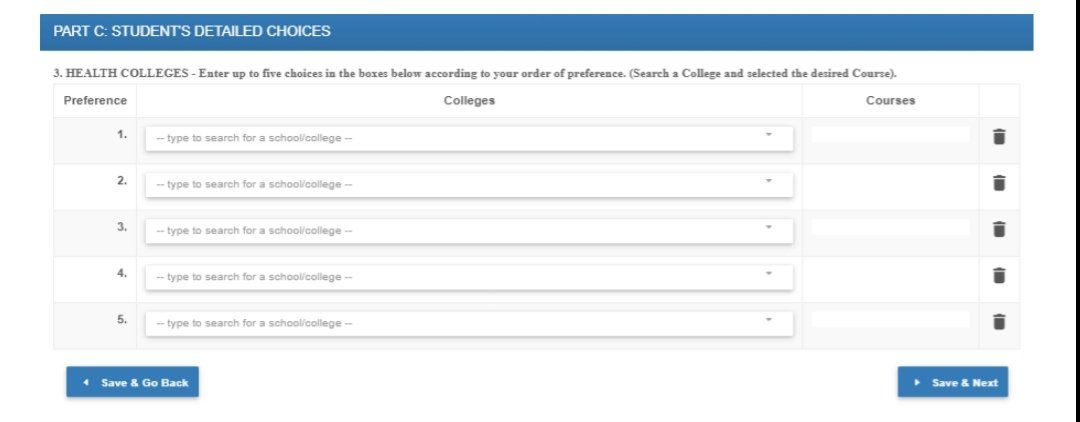
7. PART C3: HEALTH EDUCATION
Click to enter this area to continue changing your College choice information Health and Its Specifications. When done, click SAVE & NEXT or Save & Go Back.
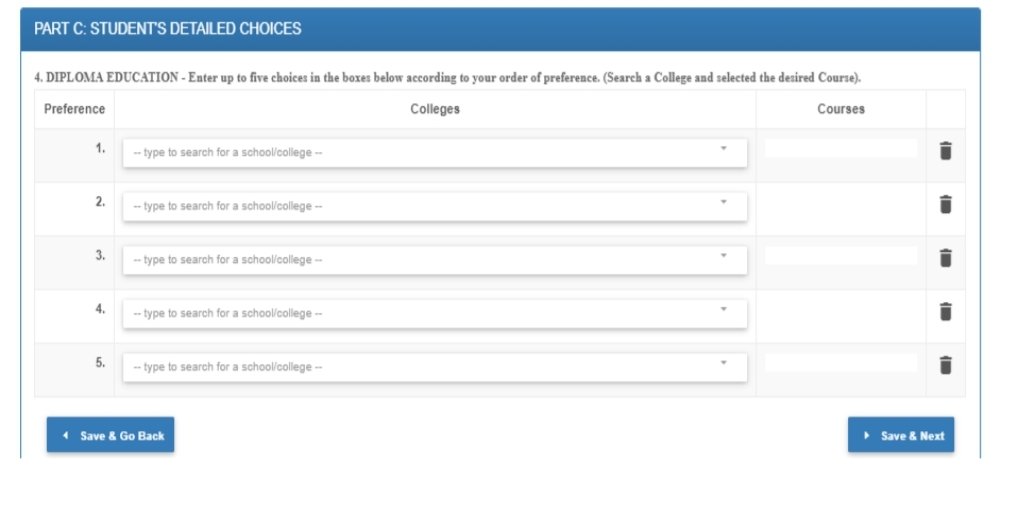
8. PART C4: DIPLOMA EDUCATION
Click to enter this area to continue changing your College choice information Education and its Specifications. When done, click SAVE & NEXT or Save & Go Back.
9. PART C5: OTHER COLLEGES
Click to enter this area to continue changing your College choice information Otherwise with its specifics. When done, click SAVE & NEXT or Save & Go Back.


Comments
Post a Comment